For choir leaders
Rehearse the music, not the notes.
Add your choir's music once. Every singer opens their own part on their phone, hears it and sings it at their own pace between rehearsals. Rehearsal can then be about blend, words and expression.
for church choirs, chamber choirs and project choirs
Ave verum corpus
KV 618
W. A. Mozart
(1756–1791)
Your own part
The same music. Each singer their own part.
You add the piece once. The sopranos open it on the soprano part and the basses on the bass part, with the rest of the choir quieter behind them. The tempo can be slowed, and a hard passage can be taken again and again.
Example Choir, thirty singers, seen from where you stand. Press a part.
W. A. Mozart
Ave verum corpus
Bar 3
Choose your part, then press play.
Open the whole piece in the app
The phone sings bars 3 to 10 the way that singer hears them: their own line forward and the rest of the choir softer behind. The fader turns it round. The voices are the app’s sung parts, Llane Crow and Allen Crow from LUNAI Project.
How to get started
Added on Monday, practised by Thursday.
It is all done in the app and takes a few minutes. If you have the music as a file, or take it from the free library, the choir can start practising the same evening.
Monday
You create the choirSign in and choose Create a choir under Choirs. You become the choir's administrator and can give others the same role.
- You add the programme
The pieces go in as MusicXML, which MuseScore, Sibelius and Finale save, or come from the free library of 116 works.
- You share the link
The invite link goes to the choir. Each singer chooses their part when they join.
Thursday
RehearsalThe singers have heard their parts at home. Rehearsal can be about blend, words and expression.
Only paper scores?
The scanner that reads printed music is open to invited testers. Write to us and we will look at the music together.
About copyright
Only add music the choir has the right to use. A choir's music is visible only to its members, and the works in the free library are free to sing and share.
What's in the choir's room
The choir gets a room of its own in the app. The programmes are there in the order the choir sings them, with what you agreed at rehearsal.
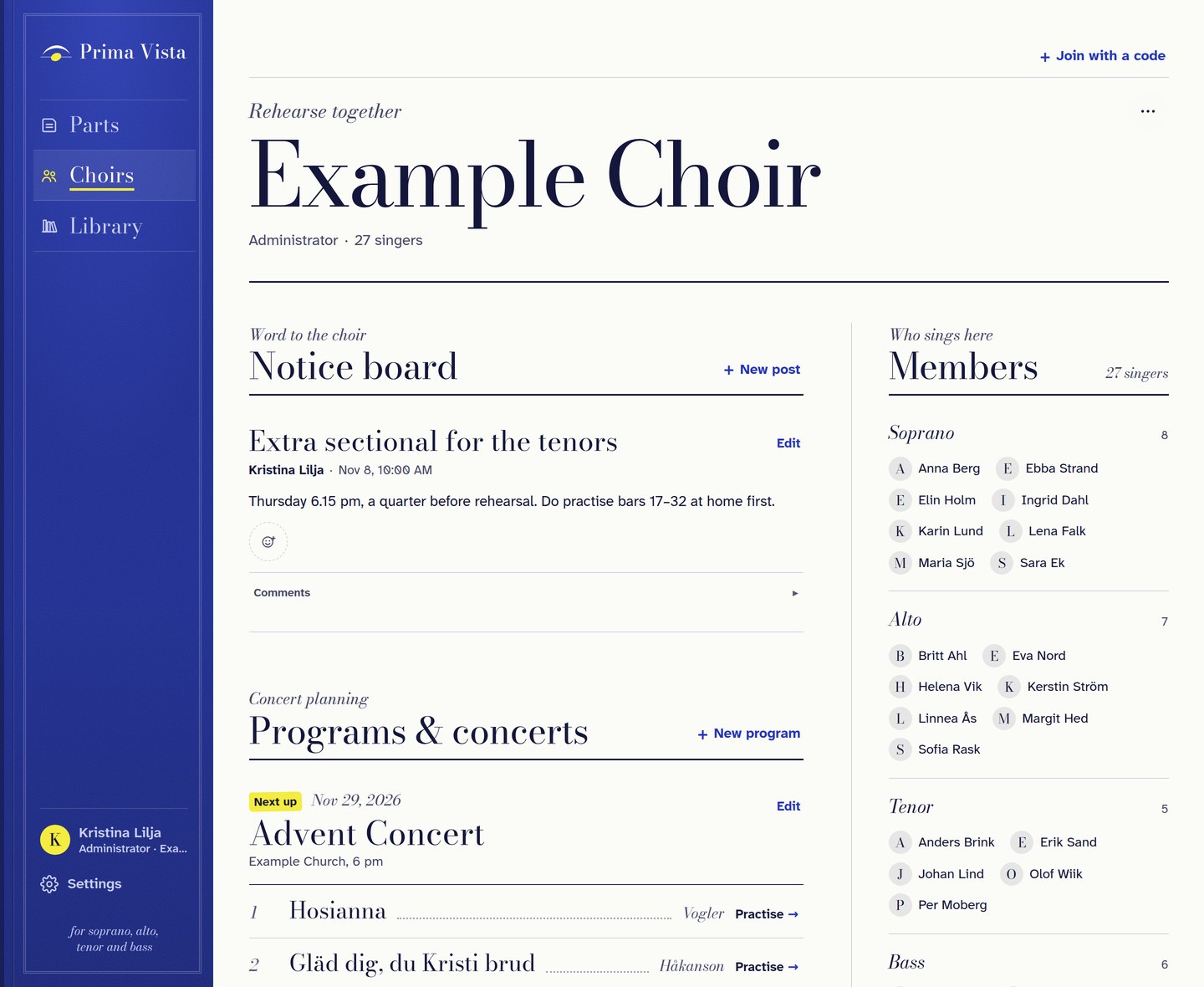
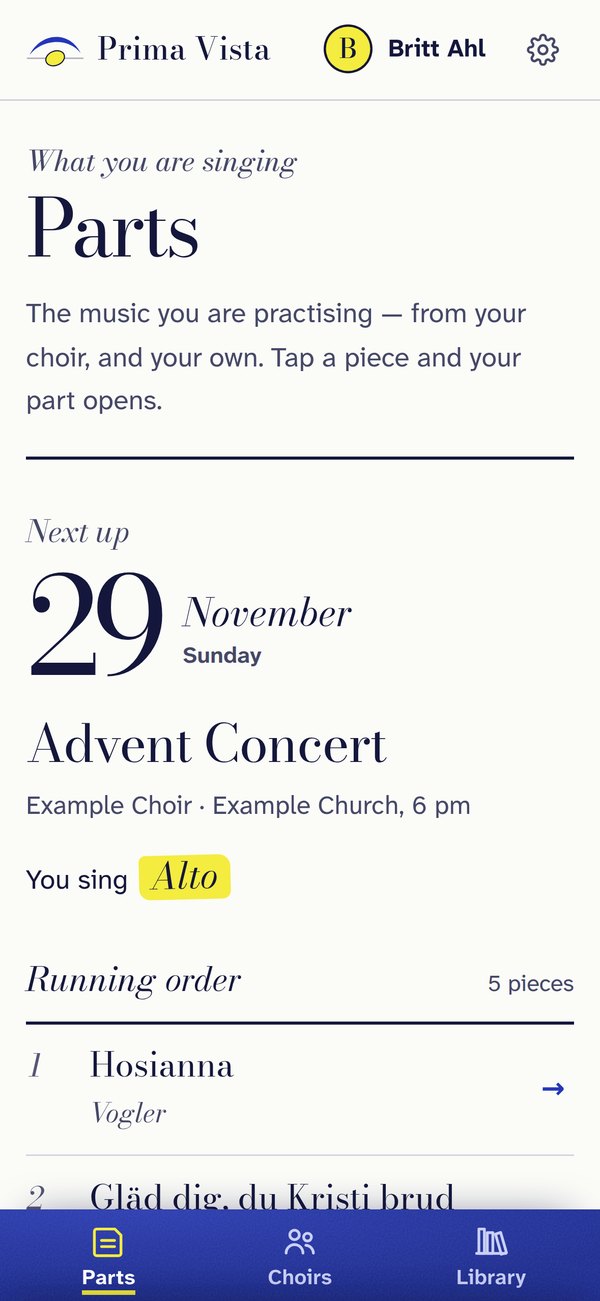
Programmesyou add them
A programme for each concert or service, with the pieces in the order they are sung. The same piece can be in several programmes. The next programme is always at the top, and past ones move to the archive.
Sung partsthe whole free library
Every movement in the free library can be played with synthetic voices that sing the words, for anyone with a free account. If you would like it for your choir's own music, get in touch.
Notes on the bareveryone in the choir
What you agreed at rehearsal, a pronunciation, a breath, a crescendo, is written on the bar it belongs to. A note can be for the whole choir or for certain parts, and it shows as a small speech bubble that stays out of the way while practising.
Notice boardyou post, everyone replies
Messages to the choir, in the same place as the music. Members can reply and react, and what is new since last time is marked.
Correctionsfor the whole choir
If a bar came out wrong when the music was read in, it can be corrected in the app, and missing lyrics can be typed in. The correction applies to everyone in the choir.
Signs and termsopen to everyone
Fermata, rit., dal segno: what the signs in the music mean and how to sing them. Every sign has its own address you can link to in a message. Open the lexicon
The singers
Made for the whole choir, not just those who read music.
- Nothing to install
- Prima Vista opens in the browser and can be added to the home screen like an app.
- Large and easy to read
- The typeface was chosen to stay clear for those who find small print hard to read.
- Works offline
- A piece that has been opened once can be practised on the bus or at the cottage.
- The microphone does not record
- Pitch is worked out on the phone. The voice is not saved and is sent nowhere. How we handle data (in Swedish)
- In Swedish and English
- Each singer chooses their own language.
What does it cost?
Nothing, for now.
Prima Vista is being built together with its first choirs, and singers' own practice will always be free.
If choirs are ever charged, you will hear well in advance.
Would you like to try it with your choir?
A choir takes a minute to create. If you would like help with your first programme, write a few lines about the choir and what you are singing now.